


ANJEL Tech
3.831.00 Reviews
App Specs
- Version
- 1.1.9
- Updated On
- License
- Free
- Downloads
- 10,000+
- Developer
- PLURIBUS Inc.
- Categories
- Communication
- Platform
- Android
Screenshots
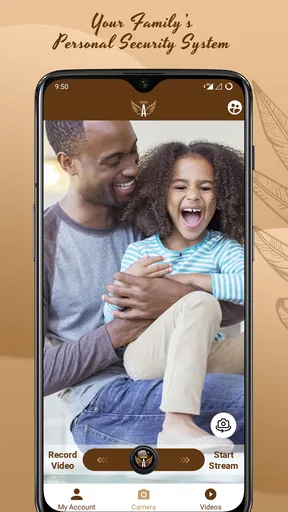
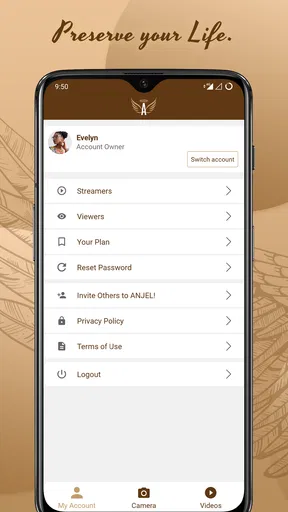
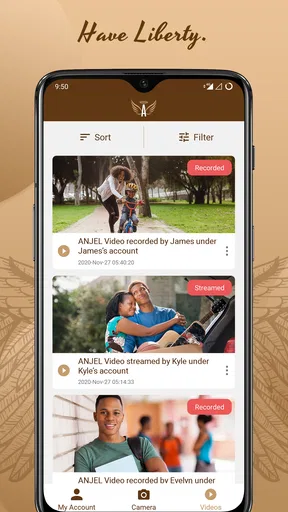
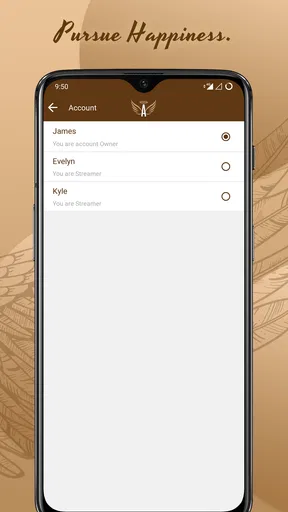
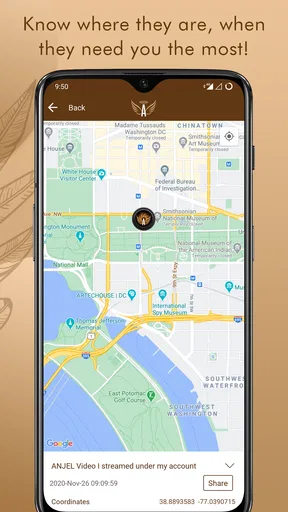
 Analysis by AppCompare
ANJEL Tech is a communication app from PLURIBUS Inc. that presents itself as a personal security tool for families. I approached it less like a casual messenger and more like something a household might open when coordination matters: checking in, sharing an important update, or trying to keep communication organized during a stressful moment. That distinction is important, because an app with a safety-focused purpose has to be judged not only by what it promises, but also by how easily people can use it when they are distracted, rushed, or unfamiliar with the interface.
My overall impression is mixed but useful. The idea is easy to understand, and the app may appeal to families who want a dedicated communication option rather than another general-purpose social platform. At the same time, the relatively modest average rating of 3.8 from around 73 ratings suggests that the experience has not been equally smooth for everyone. I would not treat that figure as a reason to dismiss it, but I would take it as a reminder to test the important parts before relying on ANJEL Tech for urgent communication.
Where people are most likely to get stuck
The first source of friction is expectation. The store summary describes a family personal security system, while the short description simply identifies it as “ANJEL Tech.” That leaves a new user with a broad idea of the purpose but not necessarily a clear picture of what the first session should look like. When an app is intended for family communication, uncertainty at the beginning matters: every person in the household needs to understand what the app is for and when they are expected to use it.
I would therefore avoid installing it on one phone and assuming the rest of the family will automatically understand it. The better approach is to introduce it as a shared routine. Explain who should use it, what kind of messages belong there, and what everyone should do if a message does not appear. This is a small organizational step, but it prevents a common failure in safety-related tools: the app is present, yet nobody has agreed on how to use it.
Another likely sticking point is onboarding. A communication app can feel broken when the real issue is incomplete setup, an account detail entered differently from the one another person expects, or a family member who has not finished joining the same communication circle. I would not rush through the opening screens. Read each prompt, use consistent information, and make sure every intended participant completes the same basic process before judging whether the app works.
The most important practical rule is to test communication before treating the app as part of a safety plan. Send a harmless check-in, confirm that the other person sees it, and ask them to respond. This reveals more than simply opening the app and looking around. It tests the complete path between two people and exposes confusion while there is still time to correct it.
People may also get stuck because they expect ANJEL Tech to replace every other communication method. I would not make that assumption. A family may still need ordinary phone calls, text messages, or another familiar service for situations where speed and familiarity matter more than having a dedicated security-oriented app. ANJEL Tech makes more sense as a planned household channel than as a magical substitute for every existing option.
Worth Reading Before You Choose

Flipboard Shows What News Apps Must Do Beyond the Feed

Switching to Android Auto Means Rethinking Your Driving Routine

Google Calendar Makes a Crowded Week Easier to Manage

Ludo King Makes the Most of the Minutes Between Plans

Baby Panda World Brings Quick Play to Modern Phones, but Its Game Library Feels Busy

ESPN’s Live Game View Makes Following Close Games Easier
What I would clarify before inviting the family
Before asking relatives to install it, I would decide which situations belong in the app. Is it for routine check-ins, a message that needs attention, or general family coordination? The answer can be simple, but it should be shared. Without that agreement, one person may expect immediate action while another treats the notification as an ordinary message.
I would also choose one person to help with setup. In many families, the person who installs an app is not the person who will use it most often. A patient setup helper can walk less confident users through the screens, confirm that notifications are visible, and repeat the test message. That is more effective than sending everyone a download instruction and hoping the process is self-explanatory.
There is also a useful privacy habit here: keep the app focused on the communication it is meant to support. Do not place sensitive details into a message merely because the app is described as a security system. Share only what the family needs for the specific situation, and use more direct or established emergency channels when a situation requires immediate professional help. A family communication app can support coordination, but it should not be mistaken for emergency services.
Setup checks that prevent avoidable trouble
ANJEL Tech is free to install, which lowers the barrier for trying it with a household. It includes in-app purchases priced from $4.99 to $18.99 per item, so I would review any purchase screen carefully before confirming anything. Free installation does not always mean every part of an app’s experience is free, and families should agree in advance about whether optional spending is acceptable.
The app is suitable for Everyone and requires Android 6.0 or later. That makes compatibility a straightforward first check: look at the Android version on each intended phone before beginning a group setup. An older device may create confusion if one family member cannot install or update the app while everyone else can. This is especially worth checking in households where children, parents, or grandparents use different generations of phones.
The current version is 1.1.9. I would make sure all participating phones are running the same current release available to them rather than mixing an old installation with a newly installed one. Version differences do not automatically explain every problem, but keeping the group aligned removes one variable when messages or screens behave differently.
After installation, I would work through these checks in order:
Confirm that every phone meets the Android requirement and has enough available space for a normal installation and update.
Open the app on each device and complete the initial setup rather than leaving one person halfway through it.
Use a simple, agreed identity for each participant so relatives know who is communicating.
Send a test message or check-in between two people and verify both sides of the exchange.
Repeat the test when the phones are connected in their usual everyday conditions, not only while everyone is standing together during setup.
That last step is easy to overlook. A test performed immediately after installation can give false confidence because everyone is watching the screen. A second check later, with one person away from the setup table, is more realistic. It shows whether the household understands how to notice and answer a message without someone guiding them.
If a notification does not appear, I would begin with ordinary phone checks rather than assuming the app has lost a message. Look at the device’s notification settings, check whether the phone is in a mode that silences alerts, and confirm that the app is allowed to operate normally in the background. Menu names differ between Android devices, so the exact path may vary. The useful principle is to check the phone’s own alert controls before repeatedly reinstalling the app.
Connectivity is another basic but important check. If one person is using a weak mobile signal or an unreliable Wi-Fi connection, the delay may be caused by the network rather than ANJEL Tech itself. A quick comparison using a stable connection can help separate a local connection issue from an app-specific problem. I would avoid sending the same urgent message repeatedly while testing, because duplicates can create their own confusion.
Finally, check the obvious things: the correct person is signed in, the intended conversation or contact is selected, and the app has not been closed before the test is complete. These sound trivial, but they are exactly the mistakes that become difficult to diagnose when several family members are trying to help at once.
Recovering a workflow when communication fails
When a message seems missing, the best recovery method is calm and sequential. First, ask the sender what action they completed and what they saw afterward. Then ask the recipient whether they opened the app directly, rather than relying only on a notification. This separates three different problems: the message may not have been sent, the alert may not have been shown, or the recipient may simply not have looked in the right place.
I would then repeat a short, non-urgent test using plain wording. Avoid adding several instructions or attachments while troubleshooting. A message such as “test—please reply” makes it easier to tell whether the basic communication path is working. If the reply arrives, the earlier problem may have been a notification or attention issue. If it does not, compare the two phones’ connections and setup status before changing anything more drastic.
Reopening the app can be a sensible general recovery step, especially after switching networks or completing an update. If that does not help, close and relaunch it once, then repeat the simple test. I would not repeatedly clear data or remove the app as a first response, because aggressive troubleshooting can erase local setup information or force everyone to begin again. Reinstallation is better reserved for a persistent installation problem after the household has noted the details needed to set up again.
A useful household workflow is to define a fallback. For example, if a planned check-in receives no response within the family’s agreed time, the sender can try a normal call or text. This does not undermine the purpose of ANJEL Tech; it makes the overall plan more resilient. Relying on one channel without a backup is risky for any communication tool, especially when users have different phones, network conditions, and levels of technical confidence.
One non-obvious lesson is that the most reliable test is not a feature tour. Many people explore every screen but never confirm whether another family member can complete the same action. I would prioritize a two-person rehearsal instead: one person initiates the communication, the other responds, and both explain what they did. That rehearsal identifies unclear labels and forgotten steps far earlier than individual browsing.
Another practical tip is to keep the first family group small. Start with the people who genuinely need the communication channel, confirm that the workflow is understood, and only then add others. A larger group can multiply confusion because every participant may interpret alerts and replies differently. The goal is not to create the biggest possible network; it is to create a dependable routine for the people who will actually use it.
If an update changes the way the app opens or communicates, repeat the basic test instead of assuming the household routine remains unchanged. The developer, PLURIBUS Inc., has released the app since September 17, 2020, and the current version is 1.1.9, so keeping the installation current is sensible. Still, an update is a good moment to verify the real-world workflow again rather than relying on memory.
When the app is not the cause
Not every failed check-in points to a defect in ANJEL Tech. A phone with restricted notifications, a poor connection, a muted device, an unfinished setup, or a family member who is simply unavailable can look like an app failure. This is why I prefer a short diagnostic sequence over an immediate negative conclusion. Test the sender, the recipient, the connection, and the device alerts separately.
There is also a human factor. A family member may see a message but not understand that it requires a response. Someone else may expect the app to announce an urgent situation more forcefully than it does. These are workflow mismatches, not necessarily technical faults. Agreeing on message wording and response expectations can improve reliability more than changing settings repeatedly.
ANJEL Tech is not the right choice for someone who wants a fully familiar, universal messenger with a large established network. If all of your contacts already communicate comfortably through ordinary texting or calling, adding another app may create more work than value. The same is true for a household that does not want to practice a shared routine. A dedicated channel only helps when the people involved actually remember to open it and respond.
I would also be cautious about using it as the sole tool for urgent danger, medical emergencies, or situations requiring a guaranteed professional response. The app can be part of a family communication plan, but it should not replace local emergency services or a direct phone call when immediate assistance is needed. That is not a criticism unique to this product; it is a sensible boundary for any consumer communication app.
On the other hand, ANJEL Tech may be a reasonable fit for a family that wants to separate safety-oriented check-ins from social conversations. A child returning home, an older relative confirming they are okay, or several household members coordinating during a disruption are practical examples. In these cases, the value comes from having an agreed place for the exchange and a routine around it, not from installing the app alone.
Compared with ordinary SMS, a dedicated app can feel more intentional, but texting usually wins on familiarity and reach. Compared with a general messaging platform, ANJEL Tech may feel more focused for a household, while the general platform may offer a broader set of contacts and habits people already understand. Compared with a phone call, the app can be less intrusive for a simple check-in, but a call remains the clearer option when the message is urgent or the recipient may not be watching notifications.
My practical verdict for families
After looking at ANJEL Tech as a real household tool rather than judging its security-oriented wording alone, I see a focused communication app with a clear audience and some setup responsibility. Its free entry point and Everyone age rating make it approachable, and its Android 6.0 requirement should cover many existing devices. The 10K+ install level shows that it has reached real users, although it is not a reason by itself to assume that every family workflow will be effortless.
I would recommend trying it when a family wants a dedicated place for check-ins and is willing to agree on a simple routine. Install it on the phones that matter, complete setup together, perform a two-person test, and repeat that test later under normal conditions. Keep a fallback such as a call or text, and do not approve in-app purchases casually simply because the initial installation is free.
I would skip it if your household already communicates reliably through calls and texts, if nobody wants to learn another app, or if you need a service that should be treated as an emergency-response system. In those situations, the familiar alternative may be safer in practice because people already know how to use it. Reliability comes from the complete process—device, connection, notification, attention, and response—not from the app name alone.
My final view is cautiously positive. ANJEL Tech has a worthwhile family-oriented purpose, but it rewards preparation more than casual installation. The best way to decide is not to read the store summary and hope for the best; it is to run a small, realistic household rehearsal. If everyone can send, notice, and answer a test communication without assistance, the app may earn a useful place in your family’s routine. If that rehearsal feels confusing, ordinary calling or texting is probably the better choice for your particular household.
Pros
- Simple tools make everyday tasks easier for non-technical users.
- Lightweight design should work smoothly on many Android devices.
- Useful for users seeking practical technology-related solutions.
- Clear interface can reduce the learning curve for new users.
- Regular updates may improve reliability and add useful features.
Cons
- Some features may require an internet connection to work properly.
- Compatibility can vary across devices and Android versions.
- The app may offer limited customization for advanced users.
- Support and troubleshooting information may not cover every issue.
- Permissions should be reviewed carefully before completing installation.
FAQs for ANJEL Tech
What is ANJEL Tech, and what can I use it for?
ANJEL Tech is a technology-focused application designed to provide users with access to digital tools, services, or information through a mobile interface. Its exact functions may depend on the version and region, so it is worth checking the official app listing before downloading. Review the description, screenshots, and supported features to confirm that it matches your needs.
Is ANJEL Tech free to download and use?
The availability and pricing of ANJEL Tech may vary depending on the platform, country, and services included in the application. The app may be free to install while offering optional purchases, subscriptions, or paid features. Before confirming a download or registration, check the store page for current pricing, billing terms, trial conditions, and whether any recurring charges apply.
What permissions does ANJEL Tech request?
As with many mobile applications, ANJEL Tech may request permissions needed to provide its features, such as internet access, notifications, storage, camera, microphone, or location services. The permissions shown can differ between Android and iOS and may change after updates. Read each request carefully and allow only access that seems necessary for the functions you intend to use.
Is ANJEL Tech safe and suitable for my device?
Before installing ANJEL Tech, download it only from an official Google Play or Apple App Store listing and verify the developer name, reviews, update history, and privacy information. Device compatibility can depend on your operating system version, available storage, and hardware. Keep your phone updated and avoid unofficial APK files or modified versions, which may create security and privacy risks.
Does ANJEL Tech require an account or an internet connection?
Whether ANJEL Tech requires registration depends on the features you want to use. Some functions may be available immediately, while others could require an email address, phone number, or third-party login. An internet connection may also be necessary for sign-in, synchronization, online tools, or content updates. Check the app’s onboarding screens and privacy policy before submitting personal information.


